
Everything the month needs.
Screen by screen.
From the bill due tomorrow to financial freedom. See what Tales does, how it works and where it fits in your day.
iPhone, Android and web
Starts without a bank connection
Free to start
Know if the month lands before it starts
Salary, bills and installments become dates. The dates become one number per day and a three-month forecast.
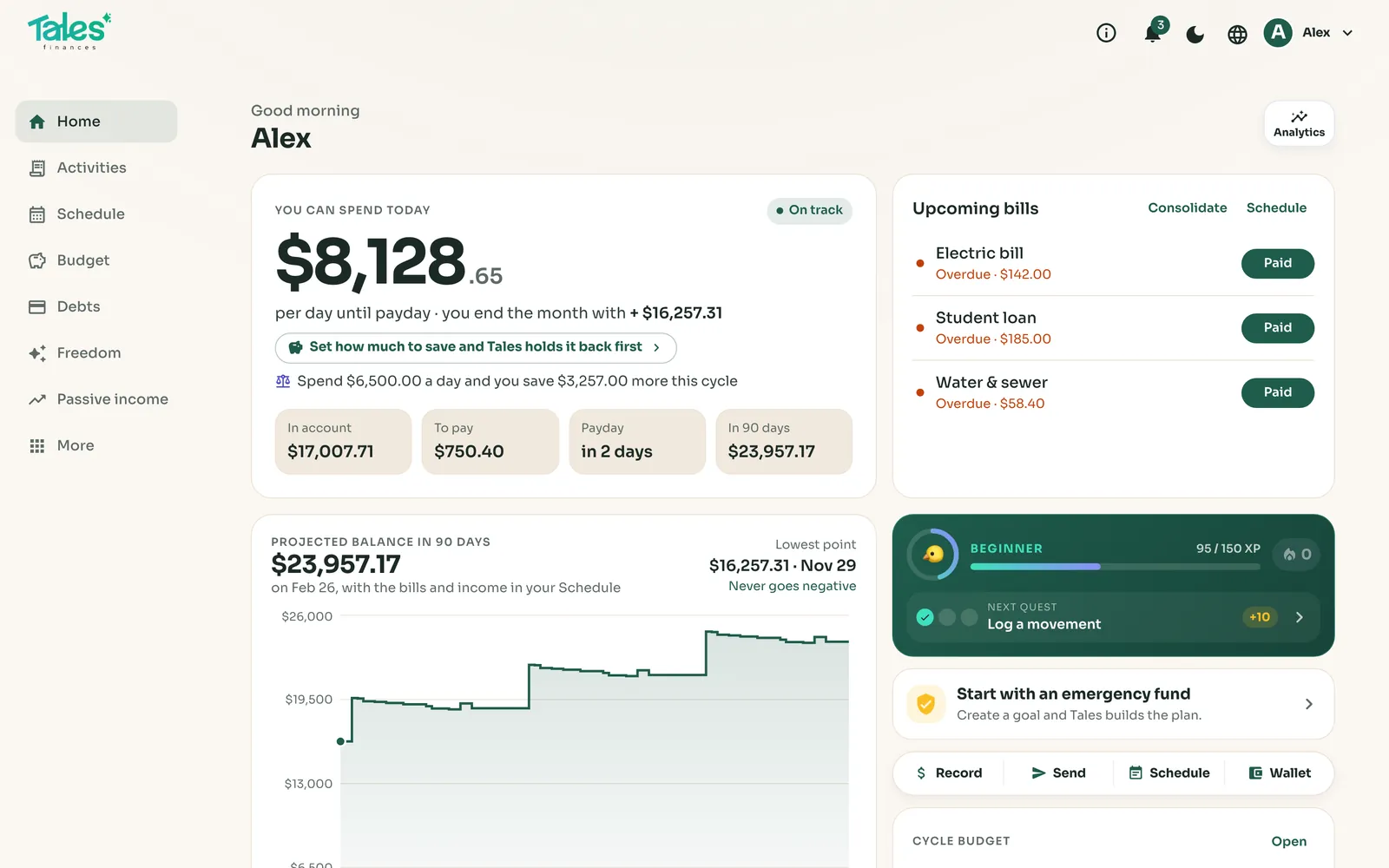
Your area: today's money on one screen
Open the app and see your wallet balances, what is due in the next few days, when the next paycheck lands and a note from Tales AI about what needs attention.
Today's balance and the forecast side by side
Overdue and upcoming bills up front
The next suggested step to improve the month
Safe to spend today
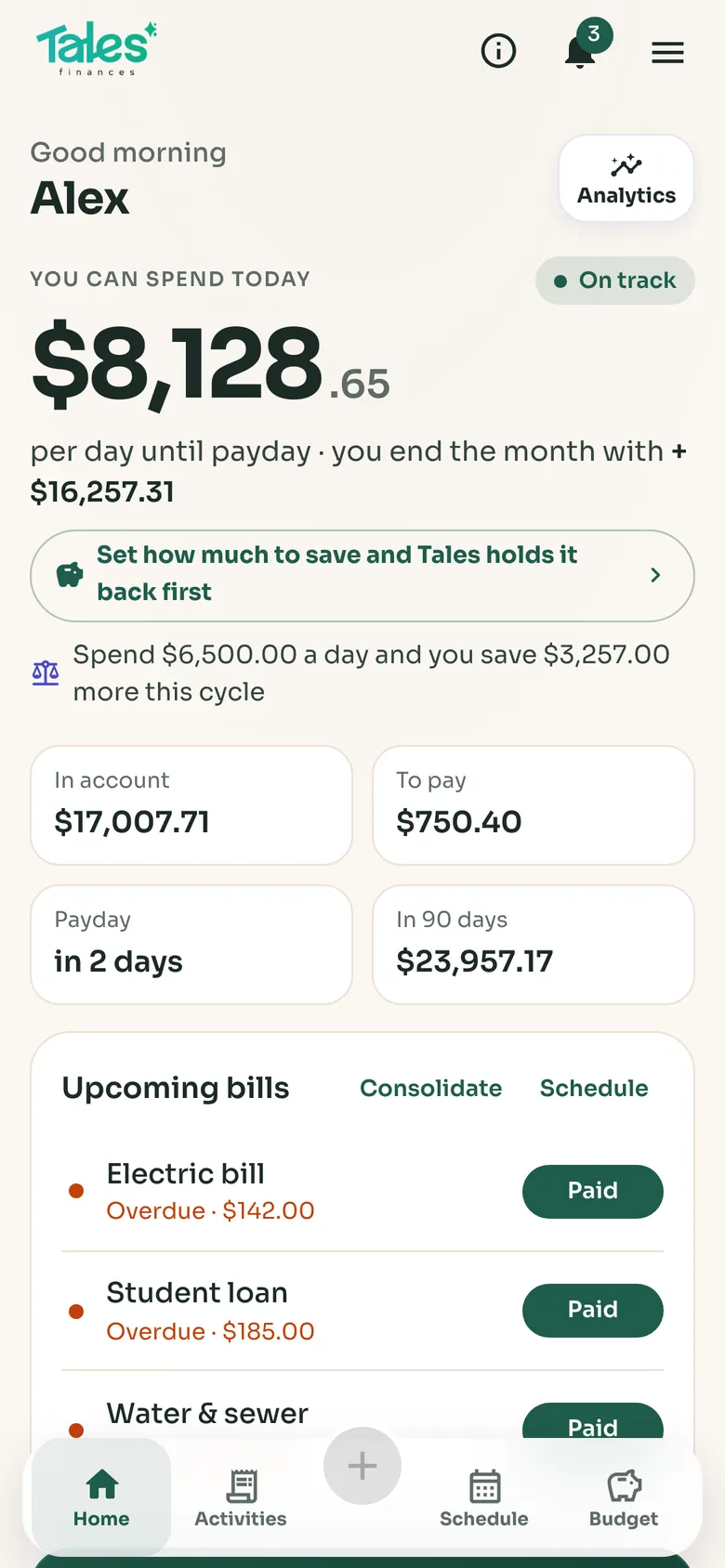
One number per day: your balance now minus the bills until payday, split over the days left. If it fits, the month lands. If it doesn't, you know today, not on the 30th.
Updates with every confirmed expense
Shows how the month should close
A simple status: on track or heads-up
A Schedule for bills, installments and salary
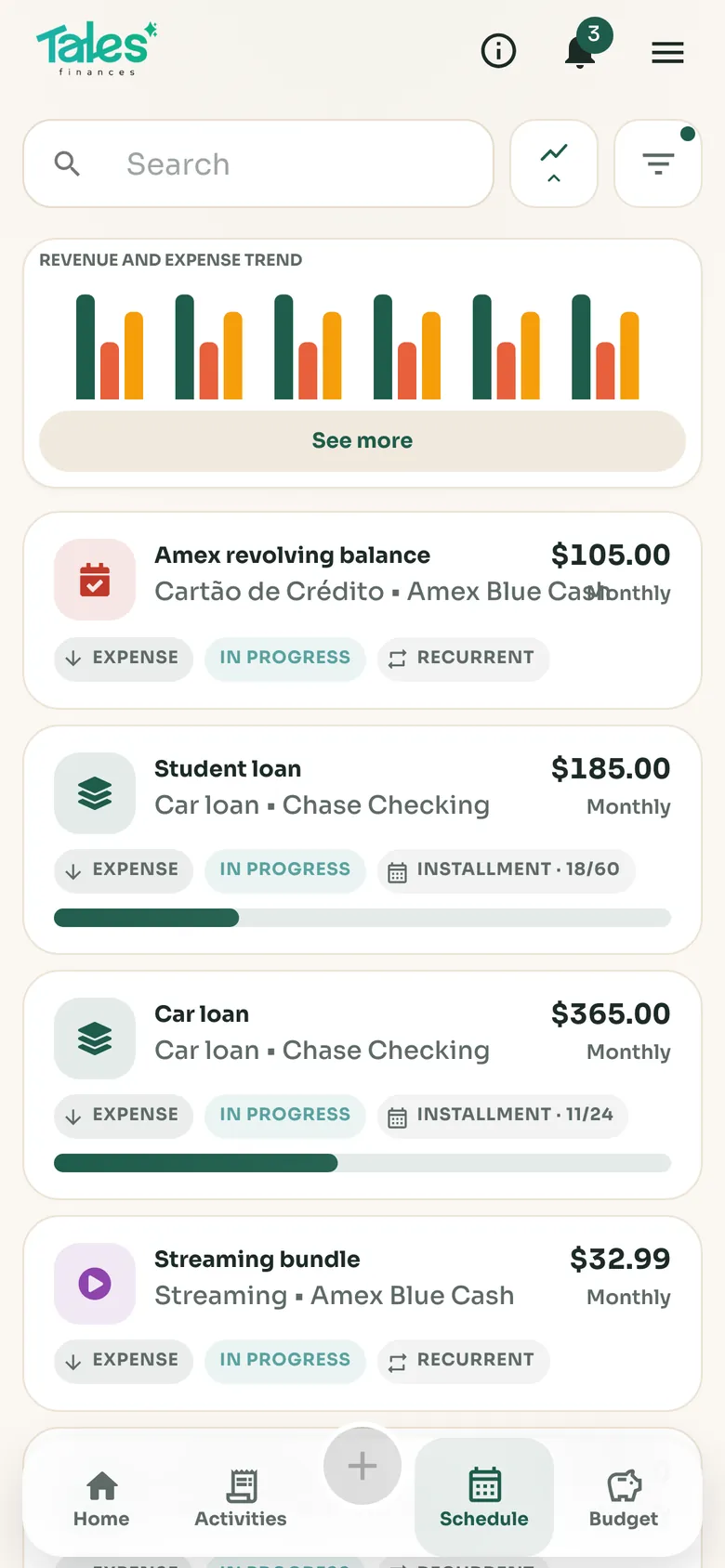
Register once what repeats or is paid in installments: rent, subscriptions, loans, salary. The Schedule creates the dates and reminds you on your phone a day before each bill.
Recurring items and installments with an end date
Phone reminder before the due date
Tap Paid and the bill becomes an Activity
90-day forecast
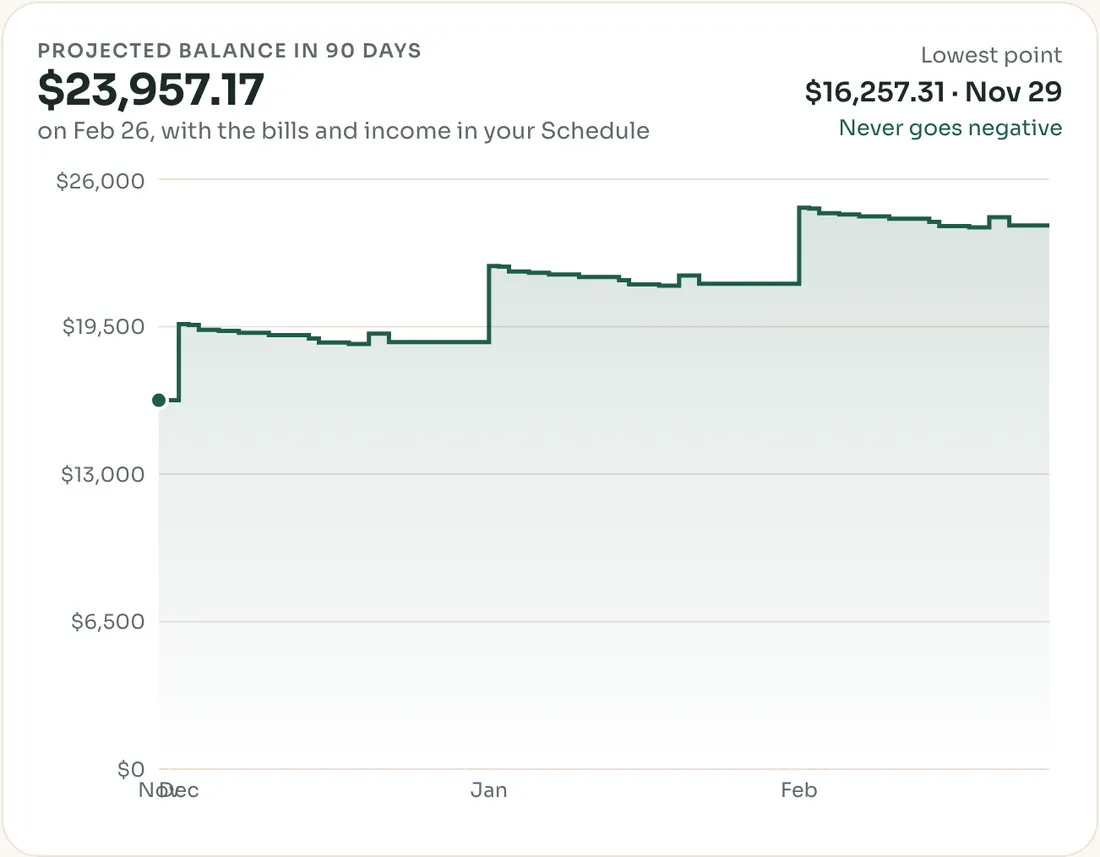
The balance for every day of the next three months, built from the Schedule. You see the lowest point before you get there and have time to adjust.
The lowest point and the day it happens
Your balance 90 days from now
Recalculates when the Schedule changes
Log it in seconds, the way you like
Speak, type, send the card bill or connect your bank. You just confirm.
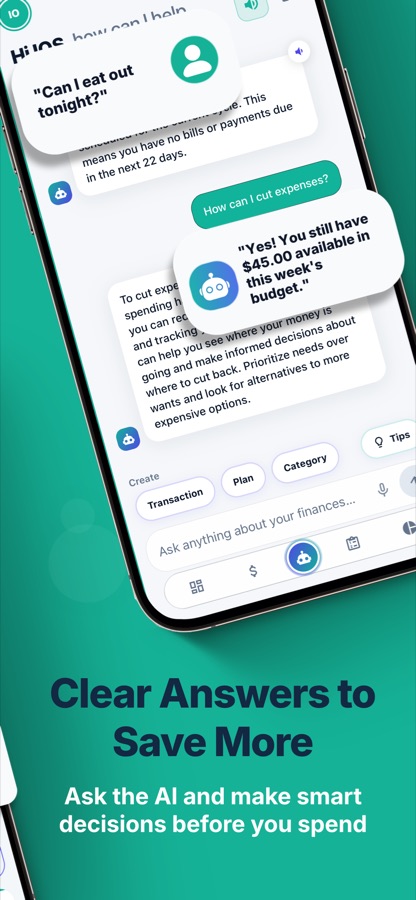
Tales AI, by voice or text
Say "I spent 42 on groceries and 18 on Uber" and Tales AI splits the entries, picks the category and wallet, and waits for your confirmation. It also answers with your numbers: "can I eat out tonight?".
Logs expenses, income and bills from one sentence
Reads receipt photos
Chats are never used to train public models
Card bills and statements, no bank link
Send the card bill PDF, an OFX or CSV statement, or a receipt photo. Tales reads the entries, suggests categories and puts future installments in the Schedule.
PDF, OFX, CSV and photos
Future installments created for you
In the iPhone and Android app
card-bill-november.pdf
7 entries readBest Buy · installment 5/10
+5 installments added to the Agenda$320.00
DoorDash
Category: Food$58.40
Activities: what came in and went out
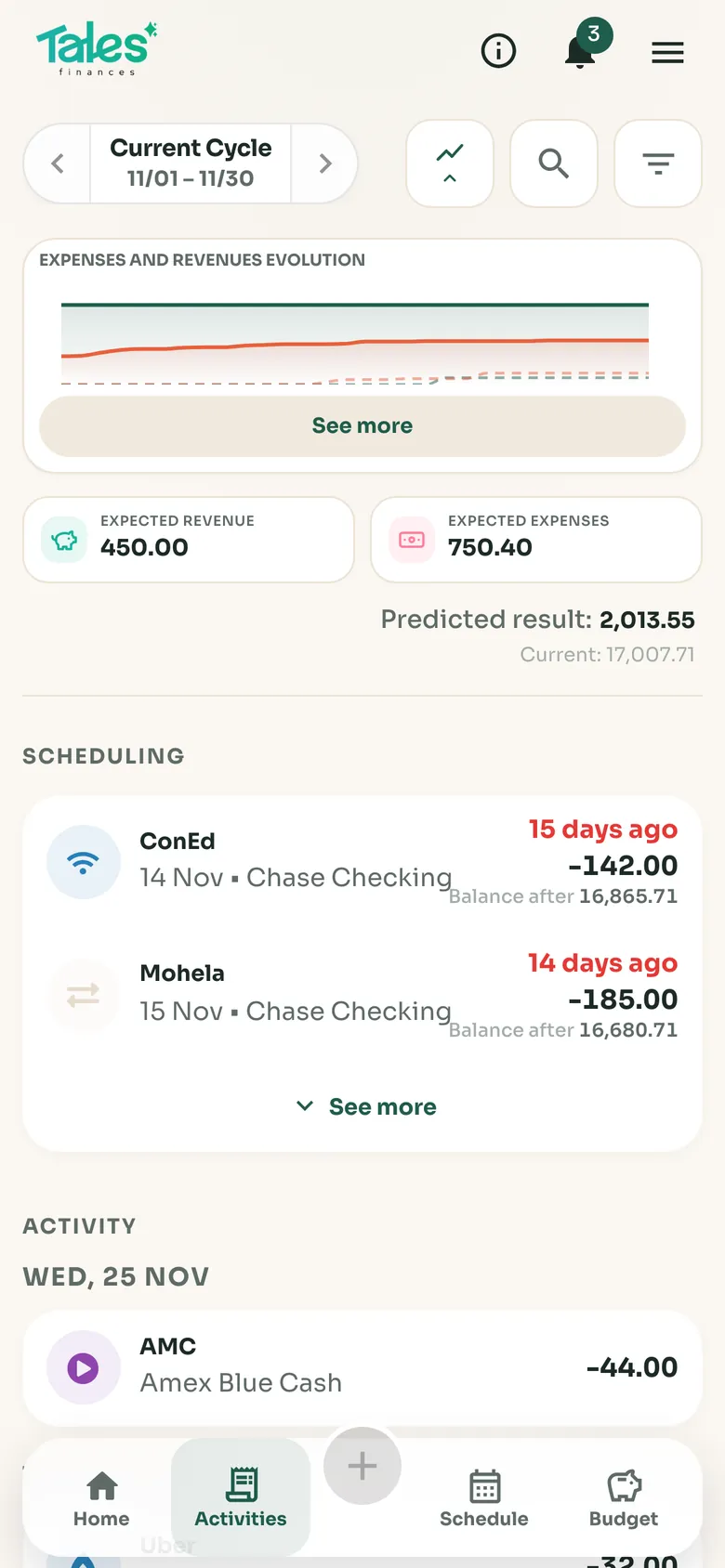
Everything that happened in the cycle, in one place. Confirm what you paid or received and your wallet balances, budget and safe to spend today are right away.
Filters by wallet, category and period
Transfers between wallets never count as spending
Receipts attached to entries
Wallets, cards and currencies
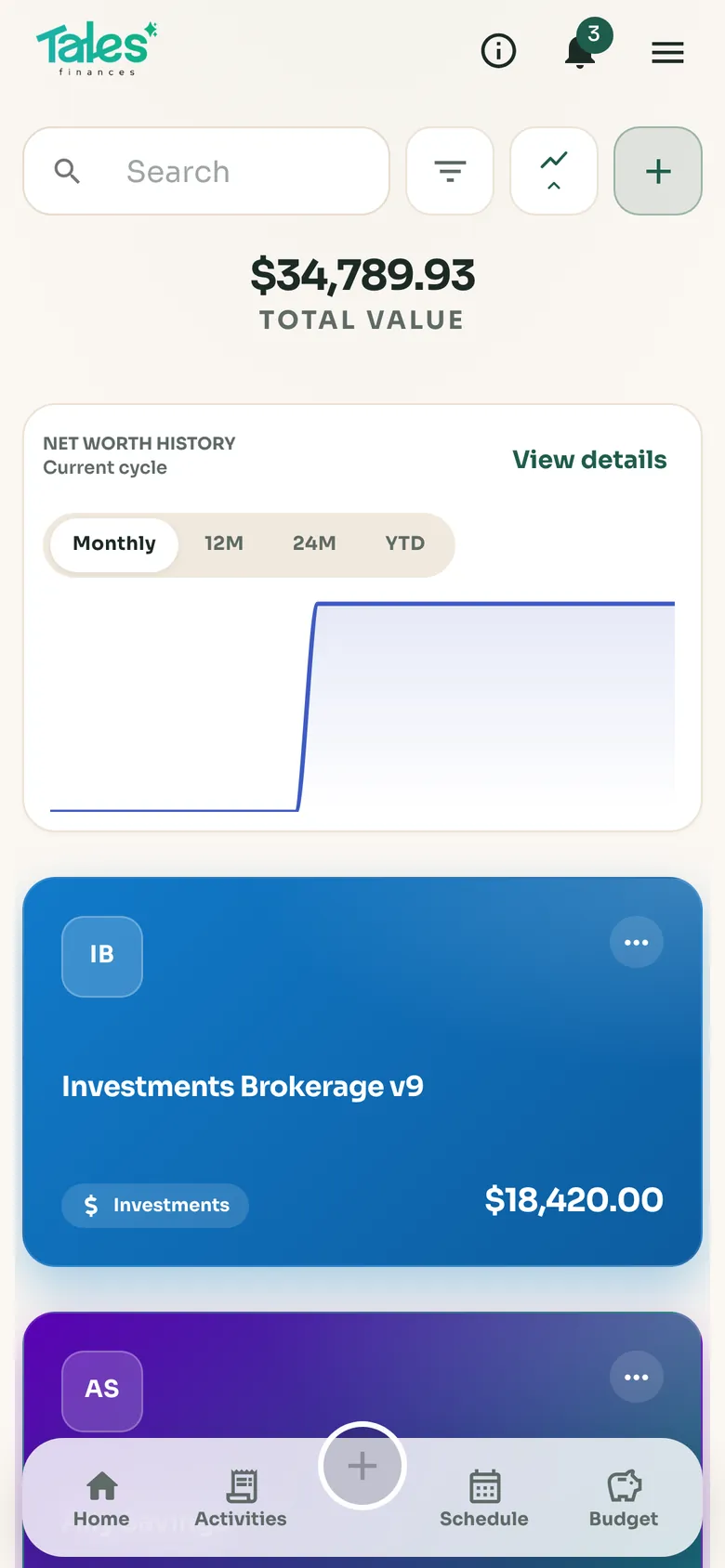
Checking, cash, credit cards and investments in one place, each in its own currency. Track your net worth over time and, where available, connect your bank so transactions come in on their own.
Several currencies, converted at the market rate
Net worth history
Read-only bank connection, where available
Limits, goals and the road to freedom
A budget that warns you early, debts under control and goals that fit the month.
A budget that warns you early
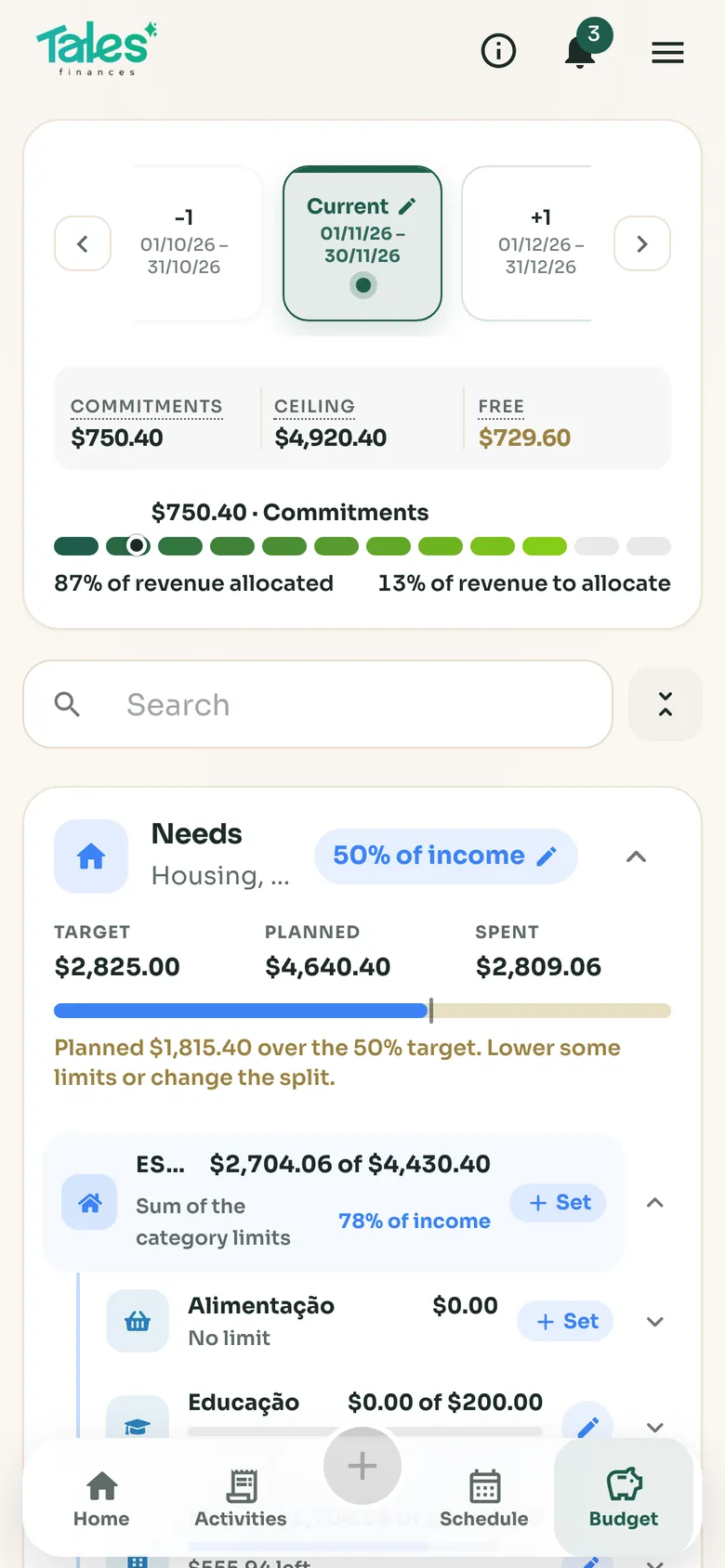
Set a limit per category and follow what already went out and what is committed in the Schedule. Tales warns you when you get close and suggests an income split between needs, wants and future.
Limit per category, with a warning before going over
Planned vs. actual every cycle
Income split into Needs, Wants and Future
Savings goals with their own pot
A home, a trip, an emergency fund. Say how much and by when: Tales works out the monthly amount, adds the transfer to the Schedule and takes it out of safe to spend today.
Tells you if the goal fits your month
Money set aside inside the wallet you choose
Warns you if the balance drops below what is set aside
Holiday trip
40%
Emergency fund
65%
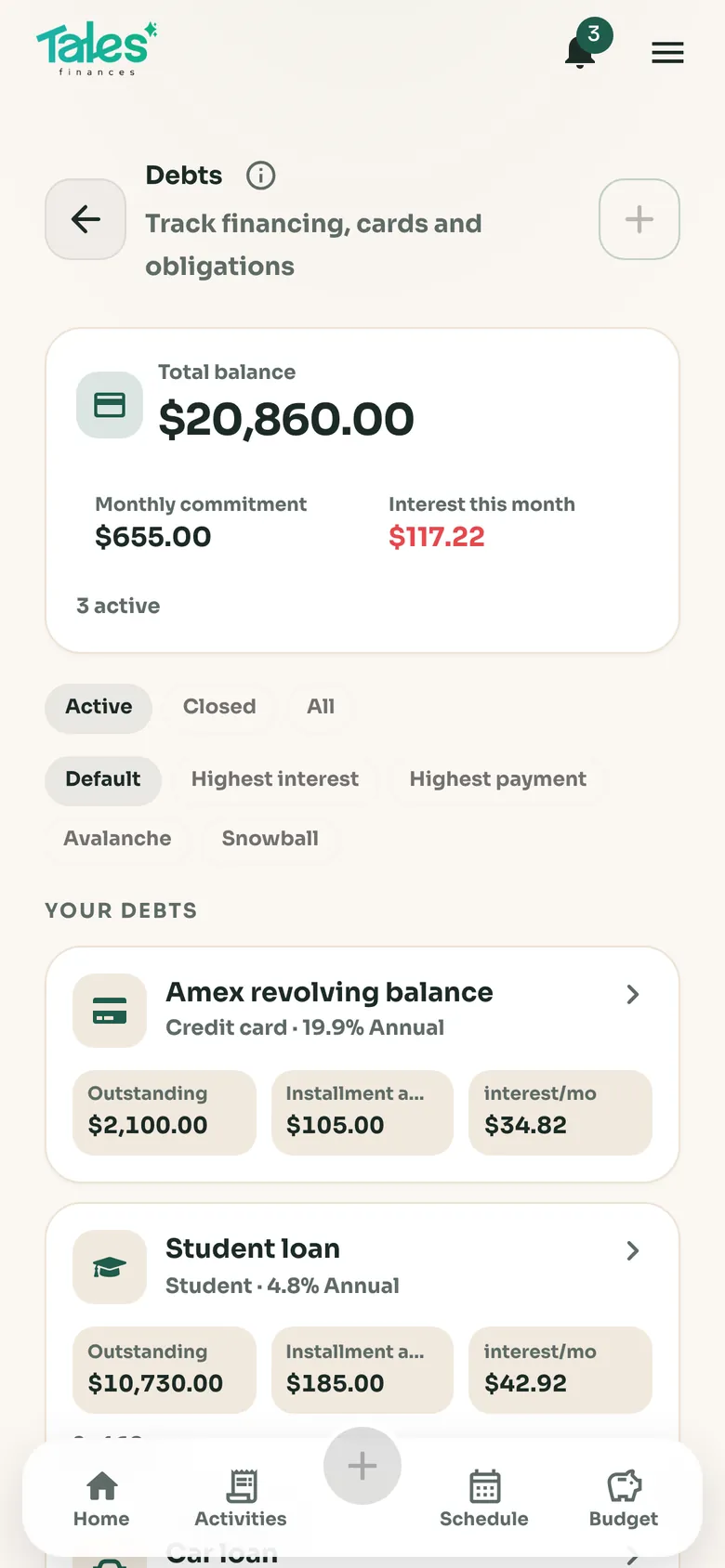
Debts and loans
Loans, personal credit or the card bill: see the balance left, the interest and the installments to go. Each installment goes to the Schedule until it is paid off.
Monthly interest and total balance
Installments in the Schedule and the forecast
Helps decide which debt to pay off first
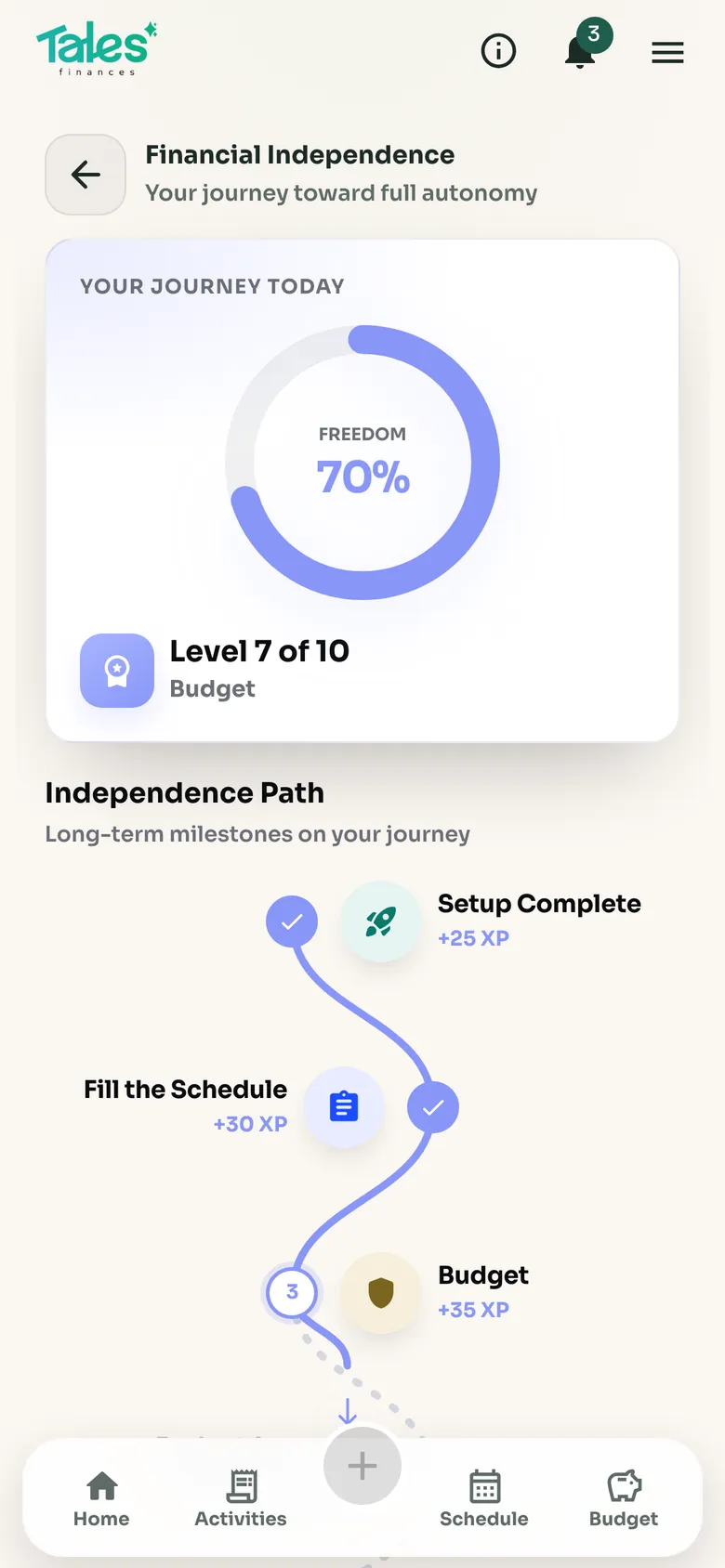
Financial freedom and passive income
A journey in levels, from basic organization to independence. Tales shows how much of your cost of living passive income already covers (rent, dividends, interest) and the next concrete step.
Levels, each with its next step
Passive income sources tracked
Your level grows with what you already do in the app
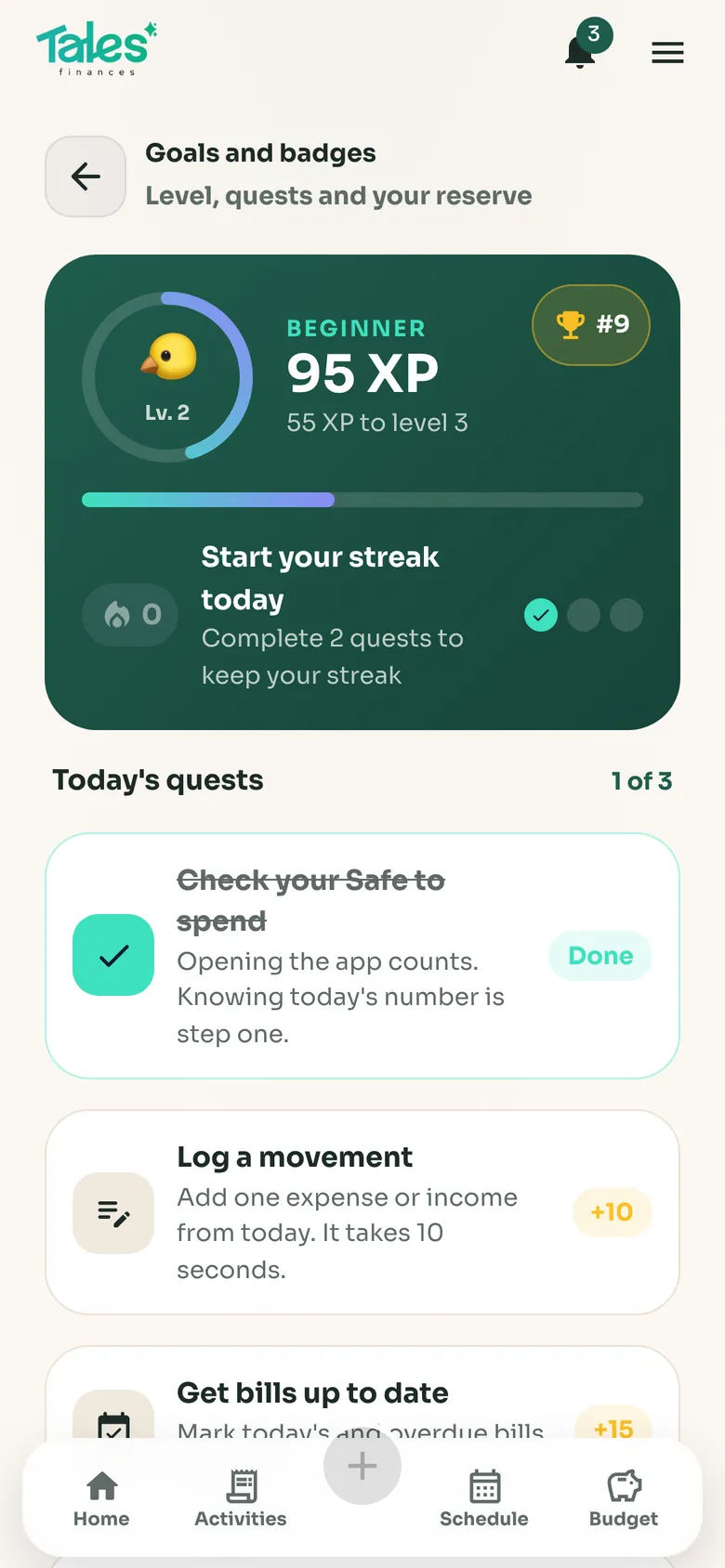
Goals and badges
Short missions, XP and day streaks to turn money care into a habit. Tales also shows how much you have saved compared with your first months.
Levels, XP and streaks
Missions that teach you the app
How much you save with Tales
Close the cycle, share the home and use it anywhere
Summaries, reports, Duo and Family, and your data always yours.
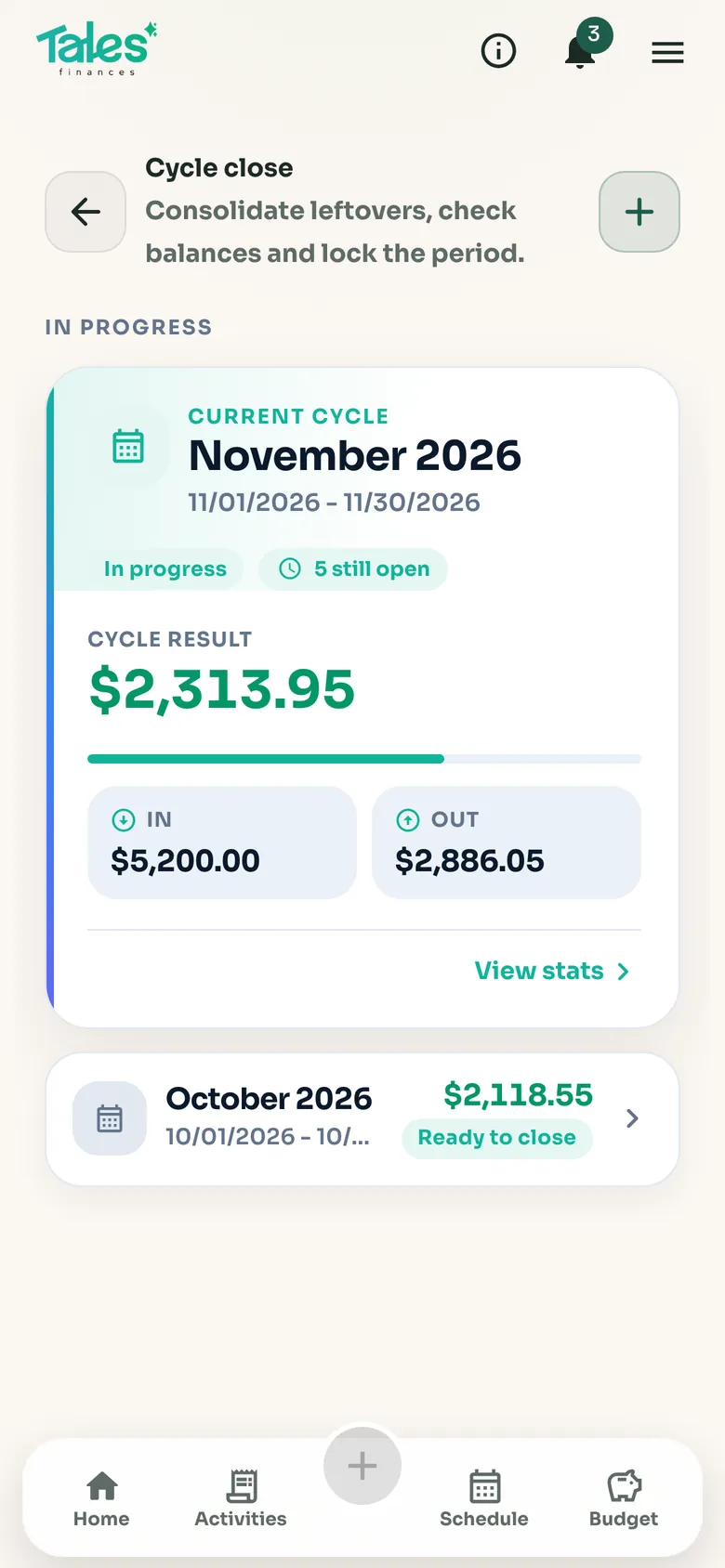
Cycle close
At the end of the cycle, review what is still open, settle it and start the next one with the right balances. Each close keeps a summary: final balance, income and spending.
Open items for the cycle in one list
History and stats for every cycle
The next cycle starts with the right balances
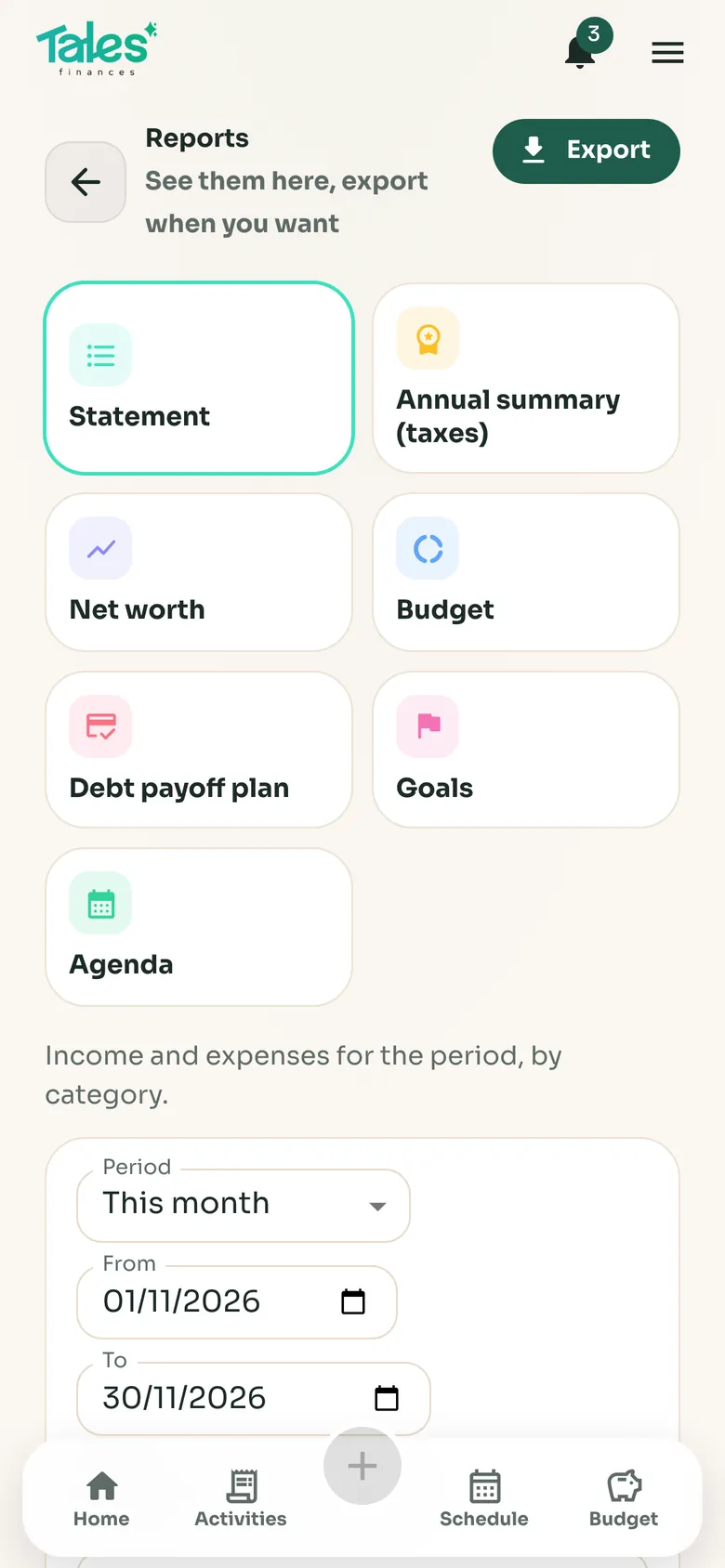
Weekly summary, reports and export
Every week, your week in numbers. To dig deeper, reports show movements by period, category and wallet. And the data is yours: export everything whenever you want.
Weekly summary: a week in the green or in the red
Reports by period, category and wallet
Full export in CSV and JSON
Duo & Family
A shared area for the household bills: rent, groceries, school. Everyone has their own login and keeps a private area that stays theirs.
Duo: 2 people, one subscription
Family: up to 5 people
A private area only its owner sees
Rent
$1,800.00
Groceries
$920.00
School
$650.00
Salary
Investments
Only you see itiPhone, Android and web
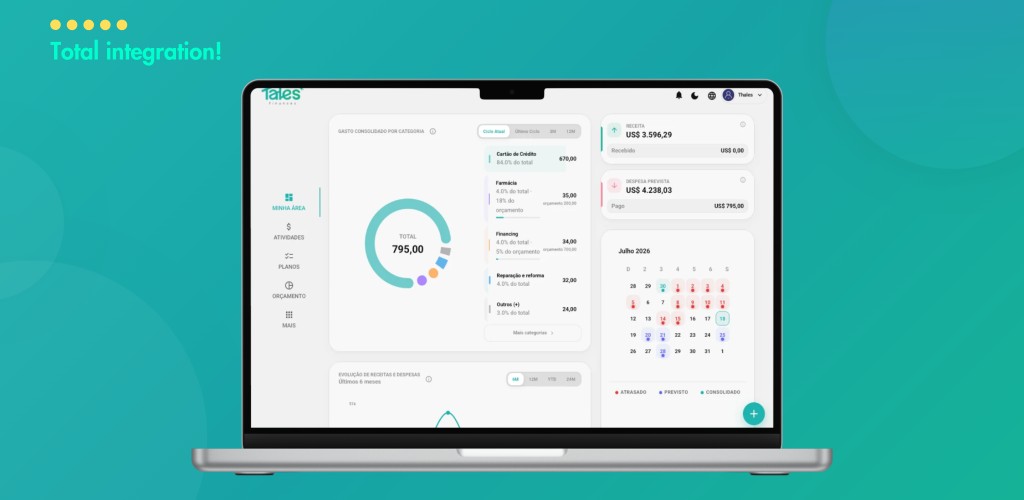
Log on your phone, plan on a bigger screen. Everything syncs in real time, in English and Portuguese, in light and dark mode.
Bill reminders on your phone
The full dashboard in your browser, nothing to install
The same login on every device
Security and privacy
Encrypted data, never sold or shared for ads. You do not need to connect a bank to start, and you can protect your account with two-step verification and an app lock.
AES-256 encryption and HTTPS
Two-step verification
Delete your account and data whenever you want
Encrypted data
Two-step verification
Starts without a bank connection
Data never sold for ads
See it with your own numbers.
Create a free account in a minute or explore the demo with sample data. Nothing is saved in the demo.